Do this now
Follow these steps in order.
- 01
Check the entrance, sales floor and individual display for camera, video, flash and livestream signs.
- 02
If the exact shot is not clearly allowed, ask staff before raising the camera.
- 03
Name the subject and use: product, price label, still photo, video, social post or commercial project.
- 04
Frame out customers and staff unless both the person and the shop have agreed.
- 05
Keep cameras down at fitting rooms, toilets, checkouts, tax-free counters and staff-only areas.
- 06
Avoid flash, tripods, lights, selfie sticks, repeated takes and any obstruction unless expressly approved.
- 07
At the first objection, stop recording, lower the device, apologize and follow the instruction.
What to know
There is no nationwide shop shortcut
JNTO’s current guidance says photography restrictions are common in Japanese stores, but the restriction can take different forms: one place may prohibit every image, another may allow still photography without flash, and another may restrict only video. Look for signs and follow staff instructions.
Current retailer policies demonstrate that range. Sogo & Seibu generally prohibits in-store video and still photography, while Sanrio says still photography is possible under stated conditions and asks customers to check with staff before video. SuperValue announced in April 2026 that customers may photograph its sales floors and products, subject to privacy, duration and commercial-use limits.
Those are examples of separate businesses, not rules for every department store, character shop or supermarket. Do not transfer permission from one chain, branch or visit to another.
What to know
Check every layer of the property
A camera icon at the building entrance is only the first check. Look again at the tenant entrance, counter, exhibition, changing area and individual display. A temporary pop-up, branded concession or event may have a narrower rule than the surrounding floor.
Host-building and tenant rules can overlap. GiGO permits ordinary personal still and video photography at its own amusement facilities under stated conditions, but warns that a GiGO inside some commercial facilities may still refuse photography. Loft similarly says a host commercial facility’s photography rules apply to its store.
If the signs conflict, or a staff instruction is narrower than an online FAQ, follow the instruction at the location and ask which activity is allowed now.
What to know
Ask for the exact shot and the exact use
“May I take photos in here?” can be too broad. Point to the item while the camera is lowered and say whether you want one personal still image, a price reference, a short video, a social post or material for work.
Sogo & Seibu permits QR-code reading and photography in designated photo areas but asks customers who want a product-consideration photo to consult nearby staff in advance. A yes for that one product does not authorize a sweep of the floor, staff, stockroom or register.
Ask before the shot rather than taking several frames and seeking forgiveness afterward. Keep the answer specific enough that the same staff member can tell what you intend to capture.
What to know
Products and price labels follow the shop’s policy
A product, shelf or price label is not automatically photo-permitted merely because customers can see it. Some shops welcome comparison photos; others require an advance question or prohibit the shot. Check before photographing barcodes, limited-stock notices, promotional displays or an entire shelf.
At the same time, do not claim that every visible product layout or price tag is automatically a trade secret. Japan’s Unfair Competition Prevention Act uses specific elements for a trade secret: the information must be managed as secret, useful for business and not publicly known. The way information is acquired, used or disclosed and the statutory purpose requirements also matter.
That legal distinction does not override the store’s condition of entry. The practical answer remains simple: use the product photo only within the permission the shop gave.
What to know
Store permission and person consent are separate
Permission to photograph a display does not include permission to make a customer or employee the subject. Employees do not lose their portrait and privacy interests while working, and a worker’s willingness to pose does not override the employer’s no-photography rule.
Ask both the person and the shop before making someone identifiable. Tokyo’s official consumer guidance explains that portrait-right disputes are assessed in context, including the place, purpose, method, need and degree of intrusion; not every accidental background appearance is automatically unlawful, but a close, deliberate portrait is different from an incidental passerby.
If people cannot be kept out of a product shot, wait, change angle or abandon the image. Before sharing an otherwise permitted photo, crop or blur unrelated faces, name badges, school emblems and other identifiers.
What to know
Keep the camera down at checkout and service counters
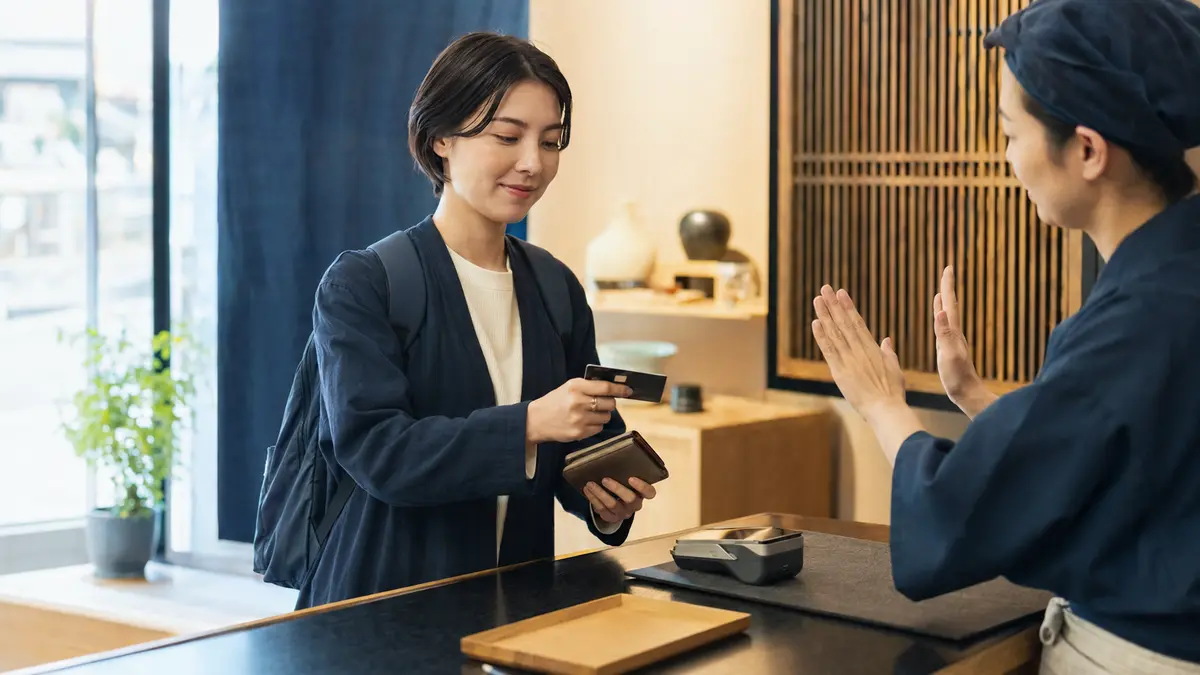
Treat the register, tax-free desk, return counter and customer-service station as privacy-sensitive working areas. Payment screens, cards, receipts, passports, addresses, order histories and another customer’s conversation can enter a frame before you notice.
This is a practical privacy rule, not a claim that Japan has one special nationwide checkout-photography offence. If you need a product or price reference, take it at the shelf only when the shop permits it. Ask explicitly before documenting a transaction or staff interaction.
Do not record an employee as leverage in an ordinary service dispute. Note the time, branch and receipt details, then use the company’s customer-service route unless an emergency or authority requires narrowly necessary evidence.
What to know
Fitting rooms and toilets are high-privacy spaces
Keep every camera off in toilets and shared changing areas. Treat a fitting room as no-camera unless the shop has expressly approved the exact arrangement, no unconsenting person can be captured and the local sign permits it. A mirror selfie of yourself is not automatically the national sexual-image offence, but it can still breach the shop’s broader rule and create fear for people nearby.
Never aim toward another booth, under or over a partition, through a gap, or at another person’s intimate body areas or underwear. The national Act on Punishment of Taking Sexual Images covers specified secret, coercive, deceptive and age-based sexual-image capture, while local nuisance rules can also differ.
A store rule can be much broader than the elements of a criminal statute. Do not test the boundary with a phone, wearable camera or device left recording in a bag.
What to know
Still photos, video and livestreaming can have different rules
A camera sign does not necessarily give one answer for every mode. Sanrio allows still photography under conditions but asks customers to consult staff in advance for video. Hiday Hidaka limits ordinary photography to food, requires head-office permission for recording intended for video sites, and prohibits livestreaming regardless of content.
Ask “Doga mo ii desu ka?” before recording video, even if a still photo was allowed. Ask separately about sound: a video can capture staff and private conversations outside the visible frame.
Never begin a livestream on the assumption that you can delete it later. It may expose people, payment details and restricted material before anyone can correct the frame.
What to know
Taking and publishing are different permissions
A shop may tolerate a private travel snapshot but set separate conditions for social media. GiGO allows personal still and video capture under its policy but prohibits online or social publication of footage containing customers or staff.
Permission from the shop also does not replace permission from an identifiable person. Ask “SNS ni nosete mo ii desu ka?” before posting a deliberate portrait, and do not add a person’s name, account, workplace or live location unless that was agreed.
Review the entire image, reflection and audio track before uploading. Crop, blur or mute unrelated people and details, but do not use editing as a substitute for consent after deliberately targeting someone.
What to know
Personal travel and commercial work use different routes
A quick personal photo is not approval for a sponsored post, advertisement, client shoot, press report, product-resale research, competitive survey or monetized video. Describe the intended platform, client, crew, equipment and revenue connection before arriving.
SuperValue routes work and commercial photography to an advance inquiry or press application and refuses competitor photography. GiGO requires advance application for revenue-related video and says formal approval comes from its head office rather than the shop counter. Round1 also separates ordinary personal capture from corporate or revenue-related production.
Do not assume a small phone, a solo creator or an account that mixes personal and paid material automatically counts as sightseeing. If the purpose could benefit a business, ask the company’s designated contact and keep written approval.
What to know
Copyright and shop permission are separate
A shop’s permission to press the shutter is not a licence to reproduce, sell or advertise every character, artwork, package, poster, screen or song in the frame. Japan’s official copyright guidance explains that copyright arises when a work is created and that public transmission and other uses can implicate the rights holder even when a copy was easy to make.
Store-specific rules can be narrower still. AEON Fantasy prohibits recording gameplay, including copyright-bearing game-machine screens, along with monetized-site posting and equipment-based shooting.
For an ordinary personal product reference, follow the store’s stated allowance. For publication, merchandise, promotional material or a screen recording, check both the store’s permission and any rights-holder terms instead of assuming one answer covers both.
What to know
Equipment and time must not disrupt the shop
Keep aisles, doors, stairs, tactile paving, displays and queues clear. Do not set down a tripod, light, microphone stand or bag where a customer or employee must detour around it.
Sanrio prohibits selfie sticks, AEON Fantasy prohibits installed equipment, and JNTO warns that tripods and selfie sticks can obstruct or endanger people. Even a phone becomes disruptive when a person repeats takes, speaks loudly, handles merchandise as props or occupies one spot for too long.
A quiet five-second still and a staged production are not the same request. Ask in advance when you need lighting, a model, multiple takes, furniture movement or a fixed position.
What to know
Staff-only and non-public equipment stay out
Do not cross a counter, rope, door or floor marking for a better angle. Keep stock lists, internal screens, access codes, alarm details, staff schedules, kitchens, loading areas and delivery operations out of the frame.
GiGO expressly prohibits photography of back-of-house spaces and the rear of machines. Other businesses define their own non-public areas. A customer-visible shelf is not automatically a trade secret, but bypassing a restriction to obtain non-public business or security information can raise separate property and information issues.
If a door opens or staff temporarily expose a work area, that does not make it a photo opportunity. Lower the camera and remain in the customer zone.
What to know
A food photo does not authorize the whole restaurant
Restaurants can distinguish a close photo of your own dish from interiors, kitchens, staff, diners, video and live content. Hiday Hidaka, for example, permits ordinary food photography but asks customers not to photograph other subjects and may refuse even a food shot when operations require it.
Frame tightly, avoid flash and keep the meal moving. Ask before standing, moving dishes to another table, filming preparation or including the counter team. The next guide in this series covers food photography in detail.
What to know
Crowding can narrow an earlier allowance
A general website policy does not promise that every shot is possible at every moment. Sanrio says photography may be refused when the store is crowded, and several operators reserve the ability to stop nuisance or long-duration shooting.
If a queue forms, the aisle tightens or staff begin restocking, put the camera away. Permission for one quiet moment does not reserve the space or take priority over safe operation.
What to know
If staff object, stop and reset
Lower the camera immediately, stop audio and do not record the disagreement. Say “Torimasen. Sumimasen deshita”—“I will not take it. I’m sorry.” Ask calmly whether the issue is the subject, the mode, the area or every kind of photography.
Loft’s official policy says staff may request that photography stop or that a post be deleted or made private when its conditions are not followed. Treat a request about a local file or post seriously, clarify exactly what is being requested and handle your own device; do not imply that every employee has a general power to seize, search or erase a visitor’s phone.
Do not continue secretly, switch to a wearable camera or return from another aisle. Permission at another branch or a screenshot of an old policy does not overrule the people managing the location now.
What to know
If permission to remain is withdrawn, leave
A no-photography sign is a condition of using that managed space; violating it does not by itself create one separate nationwide photography offence. The safest response is still to stop at once and leave if the manager or authorized staff ask.
Japan’s Penal Code separately covers refusal to leave a managed building after a demand to depart, depending on the facts. Do not turn an etiquette problem over one image into a property-access dispute.
If you believe staff misunderstood an official policy, leave first and contact the company later with the branch, date and neutral description. Do not block the counter or demand an on-camera ruling.
What to know
Use short questions that separate each permission
“Tennai de shashin o totte mo ii desu ka?” asks whether you may take a photo inside. “Kono shohin dake, shashin o totte mo ii desu ka?” asks whether you may photograph only this product.
“Doga mo ii desu ka?” asks whether video is also permitted. “SNS ni nosete mo ii desu ka?” asks whether you may post it on social media. Add “Hito wa utsushimasen”—“I will not include people”—when that accurately describes your frame.
A brief yes applies to the request you made. If you change from stills to video, private use to posting, or one product to the whole shop, ask again.
If that does not work
Use the fallback.
- No clear sign, policy or staff answer means no shot.
- If language is difficult, point to the exact product with the camera lowered and show the phrase on your screen.
- If people cannot be kept out of frame, wait, reframe or put the camera away.
- If video, livestreaming or commercial use was not discussed, assume it was not approved.
- Keep cameras off in toilets and shared changing areas; do not test a privacy boundary.
- When staff object, stop first, clarify second and use the company contact route later.
- If asked to leave, leave promptly even when you believe another branch allowed the same shot.
Before you need it
Save this offline.
- Tennai de shashin o totte mo ii desu ka? = May I take photos inside?
- Kono shohin dake, shashin o totte mo ii desu ka? = May I photograph only this product?
- Doga mo ii desu ka? = Is video okay too?
- SNS ni nosete mo ii desu ka? = May I post it on social media?
- Hito wa utsushimasen = I will not include people
- Torimasen. Sumimasen deshita = I will not take it. I’m sorry
- Person permission and shop permission are separate
- Still photo, video, posting, livestreaming and commercial use are separate checks
Primary evidence
Official sources used
Open these pages again before travel. External links lead to the responsible Japanese authority or transport organization.