Do this now
Follow these steps in order.
- 01
Check the payment-method signs before the cashier starts the transaction, especially at a small shop, clinic, ticket counter or cashless-only lane.
- 02
Say “Genkin de onegaishimasu,” “Kādo de onegaishimasu” or the name of the mobile or contactless method you intend to use.
- 03
Show coupons, point cards, tax-free documents or a request to split payment before the cashier finalizes the total.
- 04
Confirm the amount on the customer display before placing cash, inserting a card, tapping or approving a phone payment.
- 05
Use a payment tray when one is clearly provided for cash; otherwise follow the cashier’s hand or the customer payment machine.
- 06
Insert, tap or remove a card only when the terminal or staff prompts you, and wait for the completion sound or message.
- 07
If a PIN is requested, cover the keypad, enter it yourself and do not ask the cashier to substitute a signature simply to bypass it.
- 08
Collect and check your card, change, receipt and purchases before leaving the counter; keep a backup payment method available.
What to know
Start by naming the payment method
Japan’s counters use many different layouts: a cashier may receive cash, a customer-facing machine may accept cash, a card terminal may face you, or a fully self-service register may handle the entire sale. Do not copy the previous customer without checking the current screen, because one register can support several workflows.
Before handing over money, say “Genkin de onegaishimasu” for cash or “Kādo de onegaishimasu” for a card. For contactless, say the brand or service shown on the terminal when possible. A clear choice helps staff select the correct register mode before you tap or insert anything.
JNTO advises visitors to check accepted methods because some businesses are cashless, some accept only particular cards and some remain cash-only. A card logo at another branch or a mobile wallet on your phone does not guarantee acceptance at this counter.
What to know
Confirm the total before payment begins
Look at the customer display, printed ticket, bill or spoken total before committing the payment. Confirm quantities, discounts and any bag, cover, service or tax-free treatment while the cashier can still correct the sale.
Present a coupon, point card, membership code, tax-free document or gift certificate before the payment is processed. Many register systems cannot add a benefit after settlement without cancelling and rebuilding the transaction.
If you need separate payments, ask before the cashier starts: “Betsubetsu ni shiharaemasu ka?” means, “Can we pay separately?” The store can decline or limit split payments, and some payment combinations are not supported.
What to know
Use a cash tray when the counter provides one
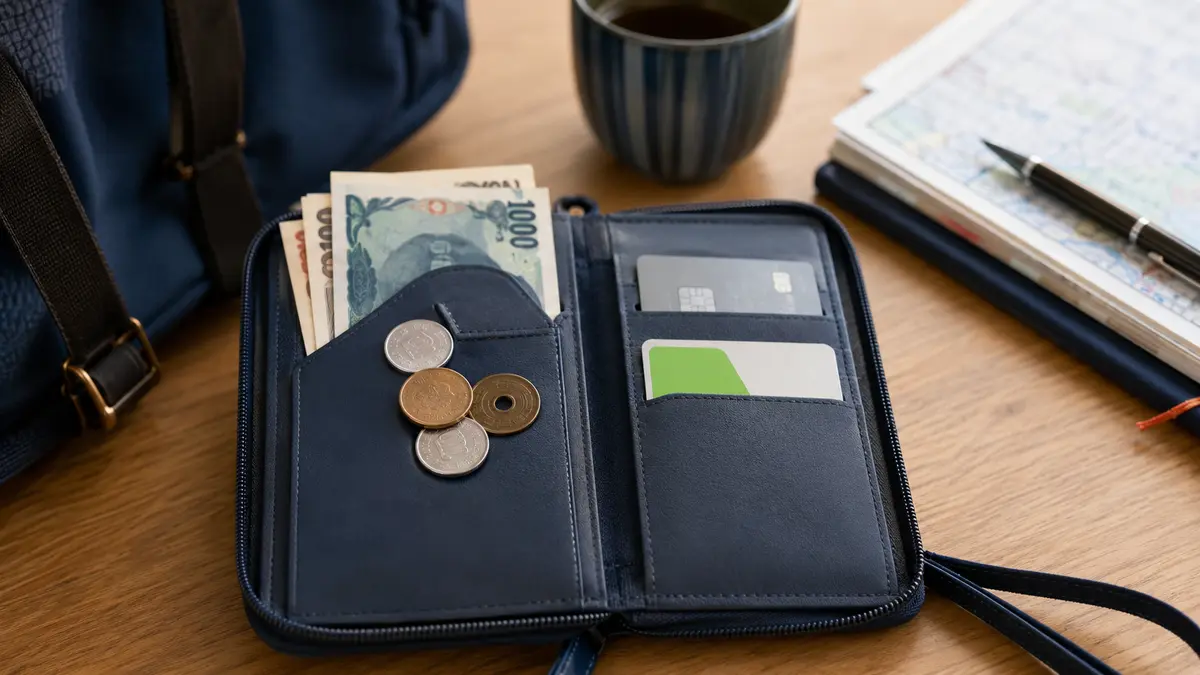
A shallow tray beside the register is commonly used to receive cash and return change. If it is clearly positioned for your payment, place notes and coins on it rather than reaching across the counter. Keep the money visible and reasonably flat so the cashier can count it.
The tray is not a national legal requirement and does not make hand-to-hand payment offensive. A stall, taxi, ticket window or accessible counter may have no tray, and a cashier may extend a hand. Follow the physical setup and staff direction rather than insisting on a ritual.
Do not throw, slap or scatter money, hide coins under notes, place cash on merchandise or push it beyond the cashier’s reach. If you are unsure, ask “Koko ni okeba ii desu ka?”—“Should I place it here?”
What to know
Let the cashier or machine count cash
Organize notes in the same direction when convenient and separate very small coins enough to be seen. You do not need to make a ceremonial display, but a clear pile reduces mistakes during a busy checkout.
The cashier may count the amount aloud, place it in view until change is prepared or feed it into an automatic cash unit. At a semi-self register, staff scans the items and you insert notes and coins into the customer payment machine.
Do not add more money after counting has started unless the cashier agrees. If you find a coin that would simplify the change, show it and wait for confirmation rather than dropping it into the tray mid-calculation.
What to know
Wait for change and the receipt to be finished
Change may return on the tray, into your hand or from a machine. Allow the cashier or machine to complete the count before sweeping it into a wallet, then check it without blocking the next customer longer than necessary.
In Japan, ordinary change is not a tip. Do not leave coins behind to signal gratuity; JNTO says tipping is generally not expected. If you genuinely do not want a receipt, use the store’s receipt bin or hand it back only where the setup allows—do not leave it on the floor or among products.
A printed or digital receipt is useful evidence if a payment appears twice, an item is missing or a foreign card later shows an unfamiliar amount. Keep it until the pending card transaction and purchase details are clear.
What to know
A card may be customer-operated or staff-handled
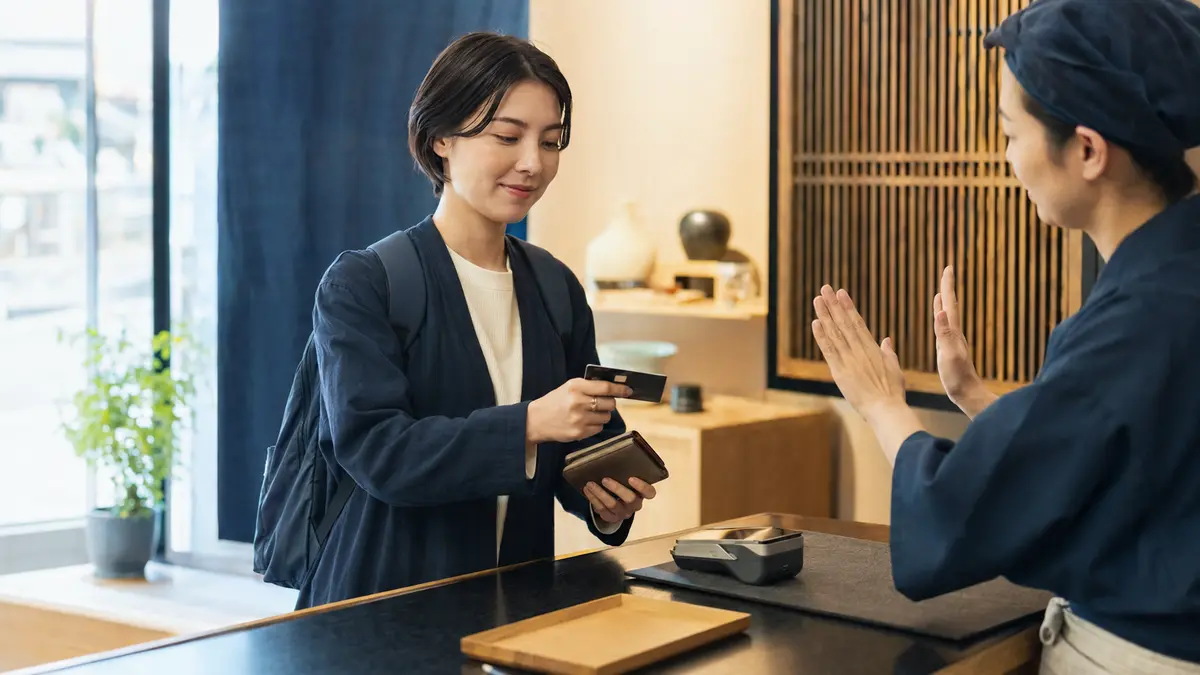
When the terminal faces you, keep the card and follow its prompt to insert, tap or occasionally swipe. Do not put the card on a cash tray merely because the tray exists, and do not insert it before the cashier has selected card payment.
At another counter, staff may ask for the physical card and operate a terminal on their side. Hand it over when requested, keep it in sight where practical and take it back as soon as the transaction is complete. Staff may briefly inspect the card, but signature matching is no longer a mandatory step under the current industry guideline.
If the arrangement is unclear, ask “Kādo wa watashimasu ka?”—“Should I hand you the card?” Never reach around the counter or turn a fixed terminal yourself.
A cashier or screen may ask whether to use 一括払い, one-time payment, or another installment option. Visitors normally request “Ikkatsu de onegaishimasu”—“One-time payment, please.” Installment availability depends on the merchant, card and issuer; do not assume an overseas card supports a Japanese installment choice.
What to know
For contactless, tap and wait
Look for the contactless symbol on both the terminal and your card or device. JCB’s official instructions say to tell staff you want contactless payment, then hold the card or device over the reader and wait for the completion indication.
Keep the card, phone or watch still over the reader until it responds. Tapping repeatedly, moving away too quickly or presenting several contactless cards together can produce an error or make it unclear which method was read.
A higher-value transaction or a terminal’s security setting can require the chip to be inserted and a PIN entered even when the card supports contactless. Follow the new prompt rather than continuing to tap.
What to know
Enter a requested PIN privately
If the terminal asks for 暗証番号, anshō bangō, enter the PIN yourself while shielding the keypad. Do not say the number aloud, show it to staff or write it on the card.
Japan’s credit-card industry ended the routine practice known as PIN bypass by March 2025: when a contact IC-card transaction calls for PIN verification, a customer should not expect the merchant to skip the PIN and replace it with a signature. This does not mean every card payment in Japan always requires a PIN; contactless limits and terminal verification methods differ.
If you do not know the PIN, stop before repeated guesses and ask to cancel or use another method. Contact your issuer through an official channel. Merchants must also consider appropriate assistance for a cardholder who cannot enter a PIN because of a disability; ask staff about an available procedure rather than disclosing the code.
What to know
A signature can still appear in limited workflows
The 2025 PIN-bypass change does not prove that signatures have disappeared from every Japanese checkout. A particular terminal, card, transaction or exceptional process can still produce a signature prompt, including situations involving some overseas-issued cards.
Sign only after checking the amount and currency. If the physical card has a signature panel, the Japan Credit Association tells the cardholder to sign it; some newer cards have no panel.
A cashier should never need your PIN. Treat a request to tell, write or reveal it as a stop signal, retain the card if possible and contact the issuer through the number in its app or on its official site.
What to know
IC, QR and mobile payments use different motions
Transport IC cards and contactless credit cards can both be tapped, but the cashier must select the correct payment type. Say “Suica de,” “iD de,” “QUICPay de” or the service name shown by the store before touching the reader.
FamilyMart’s official transport-IC instructions, for example, tell customers to name the method, confirm the amount, touch the card firmly and wait for the sound; the receipt can show the remaining balance. Other stores and terminals can look different.
A QR service may require you to show a barcode for staff to scan, or require you to scan the store’s code and enter an amount. Read the on-screen total before approving. Do not wave a phone over a reader unless that payment method uses near-field contactless.
What to know
Self and semi-self registers change who handles the money
At a semi-self register, staff usually scans and confirms the basket, then directs you to a customer payment unit. Seven-Eleven’s official introduction describes registers where the customer selects a payment method and completes cash or cashless payment on the machine.
At a full self-checkout, scan each item, choose any bag and payment option, follow age or staff-verification prompts, and do not leave until the sale is complete. Lawson’s official guide shows a self-register flow in which the customer chooses the method, scans items and completes the purchase.
Wait for the final completion screen and receipt. An authorization sound from a card reader is not always the end of the entire self-checkout flow; bagging confirmation, receipt printing or another screen can remain.
What to know
Payment combinations and exclusions vary
Cash plus card, two cards, points plus cash, gift certificates, vouchers and mobile payments are not freely interchangeable. Lawson’s official payment page, for example, lists methods that cannot be combined and products or services excluded from particular payments.
Ask before settlement: “Kono shiharai hōhō wa tsukaemasu ka?” means, “Can I use this payment method?” If a purchase includes tickets, postage, gift cards, utility payments, tax, tobacco or another restricted category, the answer may differ from an ordinary retail item.
Do not pressure the cashier to override a register restriction. Pay with an accepted method, remove the excluded item if permitted or complete a separate transaction when the store allows it.
What to know
Handle a failed foreign-card payment methodically
A familiar card logo does not guarantee approval. The issuer, fraud controls, offline or online authorization, chip, terminal, merchant category, amount or temporary communications problem can all affect the result.
After a decline or ambiguous screen, ask “Mō shiharai wa kanryō shiteimasu ka?”—“Has payment already completed?” Check for a receipt and let staff confirm the register status before inserting or tapping again. This reduces the risk of an accidental duplicate attempt.
If it failed, try one controlled retry only if staff recommends it, then use another card or cash. Contact the issuer through its official app or number if needed. The cashier generally cannot see or remove an issuer-side block.
What to know
Hotels, restaurants, taxis and ticket counters can differ
A restaurant may take payment at the table, at the entrance register or through a machine. Carry the bill slip to the register only when the restaurant’s setup indicates it; do not leave cash on the table as a tip.
A hotel can preauthorize a card at check-in and settle a different final amount at checkout. Ask whether a line is a deposit, temporary authorization or completed charge before assuming it is a duplicate.
In a taxi, card or QR acceptance can depend on the vehicle and network status. Follow the rear-seat terminal or driver’s instruction and complete payment before opening the door. At a ticket machine or unattended kiosk, keep cash available if a foreign card is rejected.
What to know
Ask for accessible help without sharing a secret
If the display, keypad, tray or cash slot is out of reach, ask staff to reposition a movable device, read a non-secret prompt, identify the cash slots or explain the sequence. State the help you need rather than handing over a PIN.
A companion can assist according to your instructions, but check the amount yourself when possible. Staff should not guess that a disability removes the need for consent or transaction confirmation.
Useful language is “Kono tanmatsu o ugokasemasu ka?”—“Can this terminal be moved?” or “Gamen no naiyō o yonde kudasai”—“Please read what the screen says.”
What to know
Resolve wrong change or a possible duplicate before leaving
If the change appears wrong, keep the receipt and money visible and say “Otsuri ga chigau yō desu”—“The change seems different.” State the amount given and received calmly so staff can recount the drawer or machine record.
For a card or mobile payment that appears twice, distinguish two completed sales from a pending authorization. Show the receipt and app screen without exposing full card details, and ask whether the register recorded one or two successful transactions.
Do not immediately run the payment a third time, sign conflicting slips or leave without a record. Note the store, time, register and amount, then contact the issuer if the merchant record and account activity still disagree.
What to know
Use short phrases and follow the screen
“Genkin de onegaishimasu” means “Cash, please.” “Kādo de onegaishimasu” means “Card, please.” “Tacchi kessai de onegaishimasu” means “Contactless payment, please,” though naming the card or wallet brand is often clearer.
“Koko ni okeba ii desu ka?” asks whether to place it here. “Reshīto o onegaishimasu” asks for a receipt. “Betsu no kādo o tsukatte mo ii desu ka?” asks whether you may use another card.
Common signs include 現金のみ, cash only; キャッシュレス決済のみ, cashless only; タッチ決済, contactless; 暗証番号, PIN; 一括払い, one-time payment; 支払方法, payment method; レシート, receipt; and おつり, change.
If that does not work
Use the fallback.
- A payment tray is clearly placed beside the register: use it for cash, unless staff directs you to a cash machine instead.
- There is no tray and the cashier reaches out: hand over the cash or card normally.
- A customer-facing card terminal is active: keep the card and insert or tap only when prompted.
- Staff asks for the physical card: hand it over, keep it in sight where practical and take it back after completion.
- The terminal asks for a PIN: shield the keypad and enter it yourself; do not reveal it or expect signature bypass.
- The screen asks for a signature: check the amount and sign as instructed.
- A self or semi-self register is in use: follow the full screen flow and wait for the receipt or completion message.
- The payment result is unclear: stop, check the receipt and ask staff whether the transaction succeeded before trying again.
- The card is declined: use one alternative card or cash and contact the issuer separately.
- Change or the charged amount looks wrong: keep the receipt and resolve it calmly before leaving.
Before you need it
Save this offline.
- 現金のみ · genkin nomi = cash only
- キャッシュレス決済のみ · kyasshuresu kessai nomi = cashless payments only
- 暗証番号 · anshō bangō = PIN
- 支払方法 · shiharai hōhō = payment method
- Genkin de onegaishimasu. = Cash, please.
- Kādo de onegaishimasu. = Card, please.
- Koko ni okeba ii desu ka? = Should I place it here?
- Kādo wa watashimasu ka? = Should I hand you the card?
- Ikkatsu de onegaishimasu. = One-time card payment, please.
- Mō shiharai wa kanryō shiteimasu ka? = Has payment already completed?
- Betsu no kādo o tsukatte mo ii desu ka? = May I use another card?
- Reshīto o onegaishimasu. = Receipt, please.
- Otsuri ga chigau yō desu. = The change seems different.
Primary evidence
Official sources used
Open these pages again before travel. External links lead to the responsible Japanese authority or transport organization.